Last updated: July 2026
Clean the Backyard Scripts
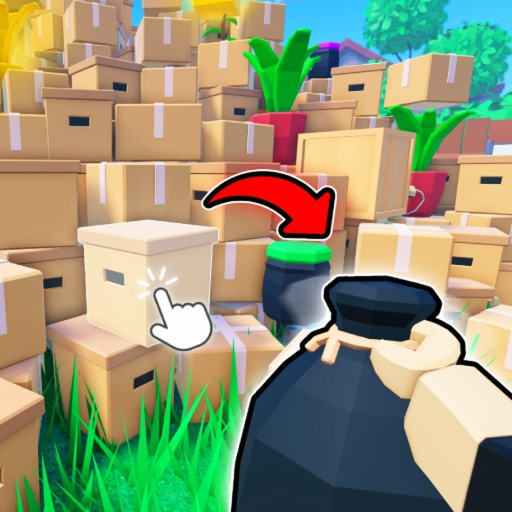
Scripts automate repetitive cleanup in Clean the Backyard. Typical features include auto trash collection, auto sell, Lost Game ESP, and upgrade helpers. This page lists vetted script profiles and explains safe testing practices.
Roblox prohibits unauthorized scripting on main accounts. Use alts, read our how-to-use guide, and expect scripts to break after game updates until authors patch loaders.
Using third-party scripts may violate Roblox Terms of Service and can result in account action. Use an alternate account and understand the risks before proceeding.
Auto Clean Hub
Features: Auto collect trash · Auto sell when bag full · Speed boost toggle · Anti-AFK
-- Clean the Backyard Auto Clean Hub
local Players = game:GetService("Players")
local player = Players.LocalPlayer
local character = player.Character or player.CharacterAdded:Wait()
local cleaningEnabled = false

local function equipTool()
  local tool = player.Backpack:FindFirstChild("Mop") or player.Backpack:FindFirstChild("Vacuum")
  if tool then tool.Parent = character end
end

local function autoCleanLoop()
  while cleaningEnabled do
    for _, part in ipairs(workspace:GetDescendants()) do
      if not cleaningEnabled then break end
      if part:IsA("ProximityPrompt") and part.ActionText:lower():find("clean") then
        fireproximityprompt(part)
        task.wait(0.4)
      end
    end
    task.wait(1)
  end
end

print("[CTB] Auto Clean Hub loaded — toggle via your executor GUI")
Lost Games ESP
Features: Highlight Lost Games · Distance labels · Trash pile markers · No key required
-- Clean the Backyard Lost Games ESP
local Players = game:GetService("Players")
local RunService = game:GetService("RunService")
local player = Players.LocalPlayer

local function trackLostGames()
  for _, obj in ipairs(workspace:GetDescendants()) do
    if obj:IsA("BasePart") and obj.Name:lower():find("lost") then
      local bb = Instance.new("BillboardGui")
      bb.Size = UDim2.new(0, 120, 0, 40)
      bb.AlwaysOnTop = true
      bb.Parent = obj
      local label = Instance.new("TextLabel")
      label.Size = UDim2.new(1, 0, 1, 0)
      label.BackgroundTransparency = 1
      label.TextColor3 = Color3.fromRGB(244, 200, 74)
      label.Text = "Lost Game"
      label.TextScaled = true
      label.Parent = bb
    end
  end
end

trackLostGames()
print("[CTB] Lost Games ESP active")
Farm & Upgrade
Features: Auto upgrade gear · Auto sell loop · Drone helper · Teleport to sell point
-- Clean the Backyard Farm Script
local Players = game:GetService("Players")
local player = Players.LocalPlayer

local function findSellPrompt()
  for _, obj in ipairs(workspace:GetDescendants()) do
    if obj:IsA("ProximityPrompt") and obj.ActionText:lower():find("sell") then
      return obj
    end
  end
end

local function farmLoop()
  while true do
    local prompt = findSellPrompt()
    if prompt then fireproximityprompt(prompt) end
    task.wait(5)
  end
end

task.spawn(farmLoop)
print("[CTB] Farm loop started — monitor bag capacity manually")
Frequently asked questions
Are scripts allowed by Roblox?
No. They violate Terms of Service and may lead to bans.